

Cart
0


Cricut Foil Transfer Insert Cards R10, Easy Release Foil To Craft Cricut Cards, Create Birthday Cards, Thank You Cards, Compatib
Couldn't load pickup availability
Brand: Cricut
Type: Home Décor Products,Wall Art & Mirrors,Canvas Prints
Sku: WBHOMB09YKWKFKC
Available : Instock
Sold by HomeNKitchenShop, an authorized reseller.
Returns accepted within 30 days | support@homenkitchenshop.com
Shipping Information
- Free Standard Shipping — United States only
- Processing Time: 1–3 business days
- Estimated Delivery: 3–5 business days after dispatch
- Carefully packed to keep your home & kitchen items safe during transit
- Tracking number sent via email once dispatched
- Orders over $250 require signature upon delivery. Taxes calculated at checkout.
Returns & Refund
Returns accepted within 30 days of delivery.
Damaged or Defective Item
Free return shipping + replacement or full refund
Wrong Item Received
Free return shipping + replacement or full refund
Change of Mind
Return shipping at customer's expense · Item must be unused, unwashed & in original packaging
All returns require a Return Authorization (RA) number before sending.
View Full Return & Refund Policy
Safety & Compliance
⚠️
California Proposition 65 Warning
Some products sold on this website may expose you to chemicals known to the State of California to cause cancer, birth defects, or other reproductive harm.
www.P65Warnings.ca.gov
🍳
Kitchen & Food Safety Advisory
Always follow manufacturer instructions for use, cleaning, and maximum temperature ratings. Do not use cookware or utensils that are cracked, chipped, or damaged.
Keep sharp kitchen tools out of reach of children. Use heat-resistant gloves when handling hot items.
🏠
Product Care & Usage Notice
Colors and finishes may vary slightly from product images due to screen settings and natural material differences. Follow care instructions to maintain product quality and longevity.
Not all products are suitable for outdoor use unless explicitly stated.
Secure payment
Guarantee safe checkout

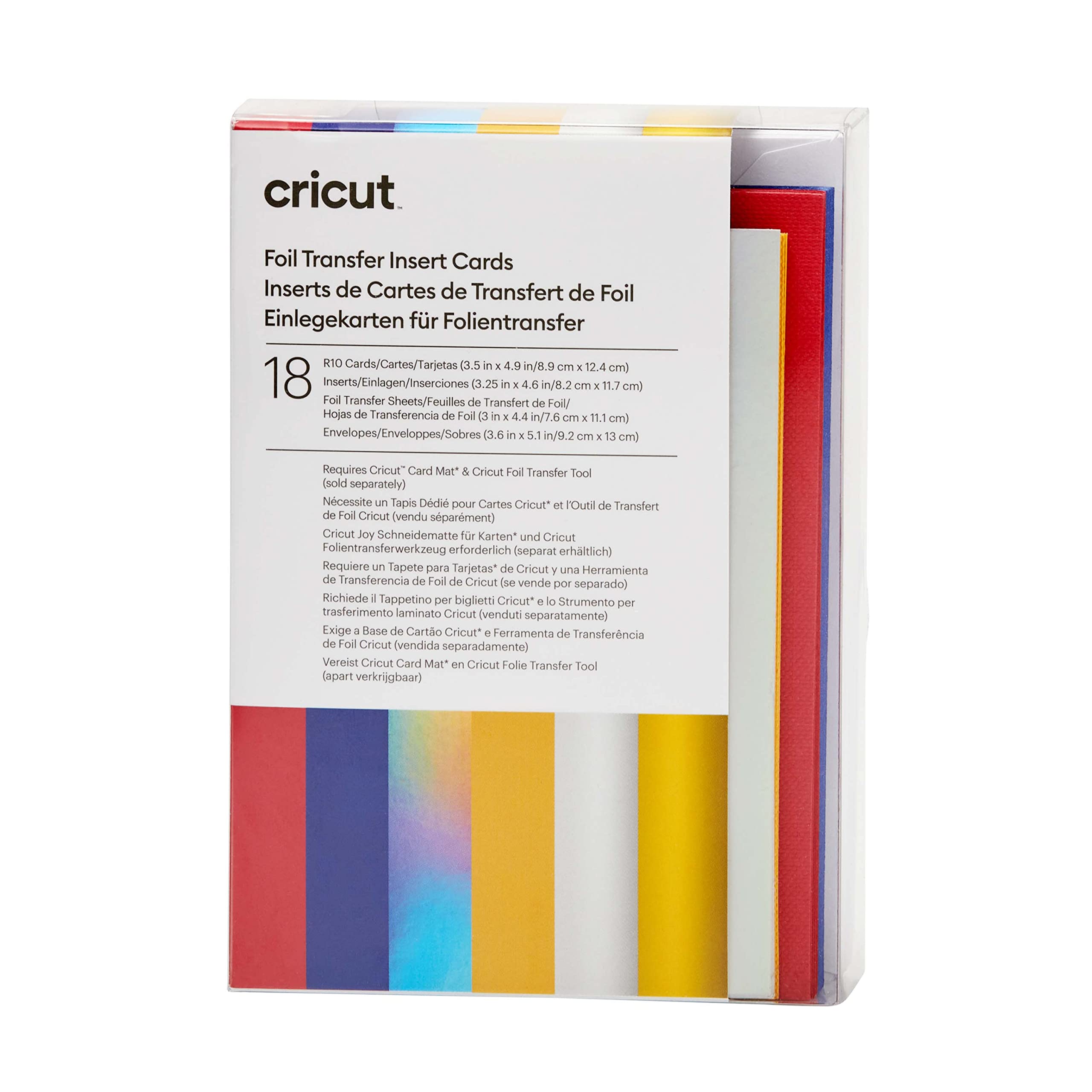
Cricut Foil Transfer Insert Cards R10, Easy Release Foil To Craft Cricut Cards, Create Birthday Cards, Thank You Cards, Compatib
$13.45

Frequently Asked Questions
- Q: What are the dimensions of the Cricut Foil Transfer Insert Cards? A: The dimensions of the cards are three point five inches by four point nine inches.
- Q: How many cards are included in the pack? A: The pack includes eighteen cards in total.
- Q: What colors are the cards and inserts? A: The cards are red and blue, and the inserts are silver holographic and maize.
- Q: Do I need a special tool to use the foil transfer sheets? A: Yes, you need the Cricut Foil Transfer Tool for optimal use.
- Q: Can the cards be used with multiple Cricut machines? A: Yes, they are compatible with Cricut Joy, Cricut Explore, and Cricut Maker machines.
- Q: How do I apply the foil transfer sheets to the cards? A: Simply load the transfer foil onto the card using the Cricut Card Mat and follow your design instructions.
- Q: Are the foil sheets glue-free? A: Yes, the foil sheets are completely glue-free, preventing sticky spots.
- Q: What projects can I create with these cards? A: You can create birthday cards, thank you cards, invitations, and other festive designs.
- Q: How should I store the Cricut Foil Transfer Insert Cards? A: Store in a cool, dry place away from direct sunlight to maintain their quality.
- Q: Are the cards safe for kids to use? A: Yes, the cards are safe for kids to use with adult supervision during crafting.
- Q: What should I do if a card arrives damaged? A: Contact customer support for assistance with returns or replacements.
- Q: Is there a warranty for the Cricut Foil Transfer Insert Cards? A: There is typically no warranty for consumable crafting supplies like these cards.
- Q: How can I clean the Cricut tools after use? A: Use a soft, dry cloth to wipe down the tools after crafting to keep them in good condition.
- Q: What is the shelf life of the foil transfer sheets? A: The foil transfer sheets do not have a specific shelf life but should be used within a reasonable time for best results.
- Q: Can I mix and match different designs on the cards? A: Yes, you can mix and match different designs and colors for a unique look.
- Q: How do I troubleshoot if my design isn't transferring correctly? A: Ensure the foil is properly aligned and that you are using the correct Cricut settings for your material.