

Cart
0


SkyTech Smart Stat IV Heat-N-Glo Fireplace Remote Control - Black, Model SMART-STAT-IV
Free Standard Shipping Across USA
Couldn't load pickup availability
Brand: Skytech
Type: Appliances,Home Appliances,Air Conditioners
Sku: WBHOMB085WQX92W
Available : Sold Out
Sold by HomeNKitchenShop, an authorized reseller.
Returns accepted within 30 days | support@homenkitchenshop.com
Shipping Information
- Free Standard Shipping — United States only
- Processing Time: 3–5 business days
- Estimated Delivery: 6–10 business days after dispatch
- Carefully packed to keep your home & kitchen items safe during transit
- Tracking number sent via email once dispatched
Returns & Refund
Returns accepted within 30 days of delivery.
Damaged or Defective Item
Free return shipping + replacement or full refund
Wrong Item Received
Free return shipping + replacement or full refund
Change of Mind
Return shipping at customer's expense · Item must be unused, unwashed & in original packaging
All returns require a Return Authorization (RA) number before sending.
View Full Return & Refund Policy
Safety & Compliance
⚠️
California Proposition 65 Warning
Some products sold on this website may expose you to chemicals known to the State of California to cause cancer, birth defects, or other reproductive harm.
www.P65Warnings.ca.gov
🍳
Kitchen & Food Safety Advisory
Always follow manufacturer instructions for use, cleaning, and maximum temperature ratings. Do not use cookware or utensils that are cracked, chipped, or damaged.
Keep sharp kitchen tools out of reach of children. Use heat-resistant gloves when handling hot items.
🏠
Product Care & Usage Notice
Colors and finishes may vary slightly from product images due to screen settings and natural material differences. Follow care instructions to maintain product quality and longevity.
Not all products are suitable for outdoor use unless explicitly stated.
Secure payment
Guarantee safe checkout

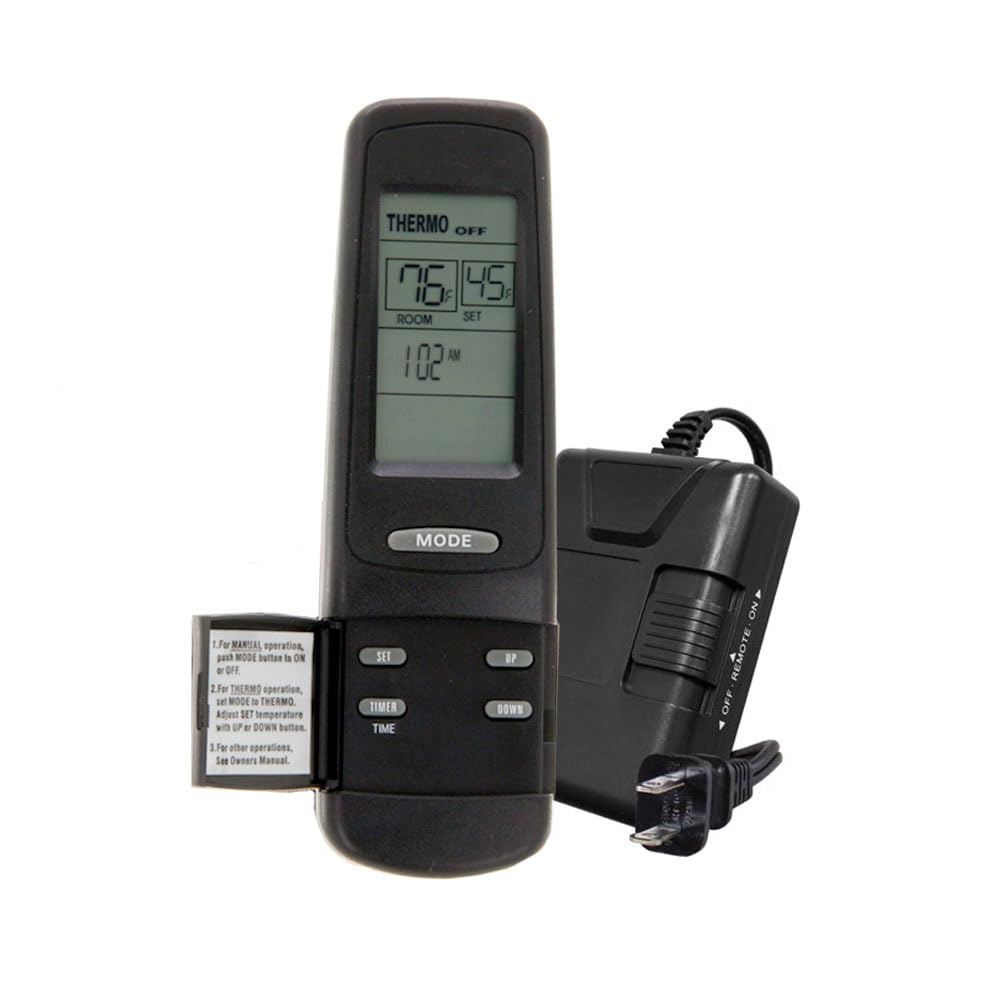
SkyTech Smart Stat IV Heat-N-Glo Fireplace Remote Control - Black, Model SMART-STAT-IV
$217.32

Frequently Asked Questions
- Q: What are the dimensions of the Skytech Smart Stat IV? A: The dimensions are six inches in length, three inches in width, and two point zero one inches in height.
- Q: What type of batteries does the remote control use? A: The remote control uses two one point five volt AAA batteries.
- Q: Is the receiver compatible with all standard millivolt valves? A: Yes, the receiver connects to all standard millivolt valves.
- Q: How do I use the Skytech Smart Stat IV remote control? A: You can use the remote by pressing the five-button interface to control the fireplace settings.
- Q: Can I set a timer with this remote control? A: Yes, it features a timer that allows you to set the fireplace operation for up to nine hours.
- Q: Is the remote control easy to read? A: Yes, it has a crystal-clear LCD screen displaying the time and room temperature.
- Q: How do I keep the remote control in good condition? A: Keep the remote dry and replace the batteries when the low battery indicator appears.
- Q: Are there any specific safety instructions for using this remote? A: Always ensure the fireplace is properly installed and follow the manufacturer's guidelines for safe operation.
- Q: What should I do if the remote control stops working? A: Check and replace the batteries, and ensure the receiver is properly connected to the fireplace.
- Q: Is this remote suitable for beginners? A: Yes, it is designed for easy use with a simple interface, making it suitable for beginners.
- Q: Can I control multiple fireplaces with one remote? A: Yes, the receiver can learn up to two additional Skytech remotes for multiple fireplace control.
- Q: What is the warranty coverage for the Skytech Smart Stat IV? A: Warranty details are typically provided by the manufacturer, so check the included documentation for specifics.
- Q: Is the remote control suitable for outdoor use? A: No, it is designed for indoor use and should be kept away from moisture.
- Q: How do I adjust the temperature settings on the remote? A: Use the SET button to adjust the temperature in thermo mode.
- Q: What does the flame icon on the display indicate? A: The flame icon indicates that the fireplace is currently on.